Instagram Reels ideas for businesses and apps
Updated · 5 min read
Reels are Instagram's short videos, and they're how a business account reaches people who don't follow it yet. The ideas that work on TikTok mostly work here too, with a few Instagram rules you should know.
Below are 18 Reels ideas for businesses and apps, then the rules, then a simple way to test what works.
What Instagram rewards (and pushes down)
- Original posts. Since April 30, 2026, accounts that mostly re-upload other people's work lose recommendations. Borders, watermarks, speed changes or a credit in the caption don't make a repost yours. Your own text, new graphics or Remix do.
- Fewer of the wrong kinds. Instagram's ranking notes say it shows fewer Reels that are low quality, watermarked, muted, bordered, mostly text, or already posted.
- Watching, liking and sending. Instagram's head, Adam Mosseri, has named watch time, likes and sends (people sharing your Reel in a message) as top signals.
- The first 3 seconds. Instagram now shows each Reel's skip rate: the share of viewers who leave in the first 3 seconds.
18 Reels ideas
Show it working
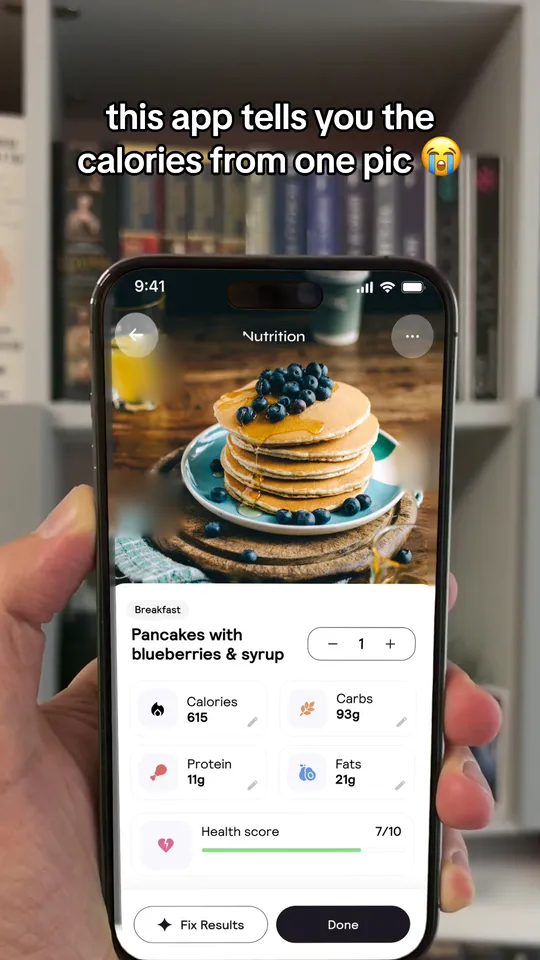
"this app tells you [the answer] from one photo"
1. The app demo. A hand, a phone, the result. 8 to 15 seconds.
"POV: you finally found a [shop / tool] that [fixes the annoying thing]"
2. The relief POV. The feeling first, your product as the fix.
"watch this [stain / spreadsheet / dough] disappear"
3. The satisfying fix. Before, during, after.
"how we make one [order] from start to finish"
4. The full process. Fast cuts, real sounds.
"what [our product] looks like after 6 months"
5. The long test. Honest wear and tear builds trust.
Teach something
"3 things i'd never do as a [your job]"
6. The pro's rules. Short, specific, a bit opinionated.
"stop doing [common habit] if you want [result]"
7. The habit fix. A line shaped like this reached 16.1 million views on TikTok.
"the [setting / step] nobody uses"
8. The hidden trick. Point at the exact button.
"what i wish i knew before [starting X]"
9. Wish-I-knew. Works as a Reel or as a carousel.
Make them laugh
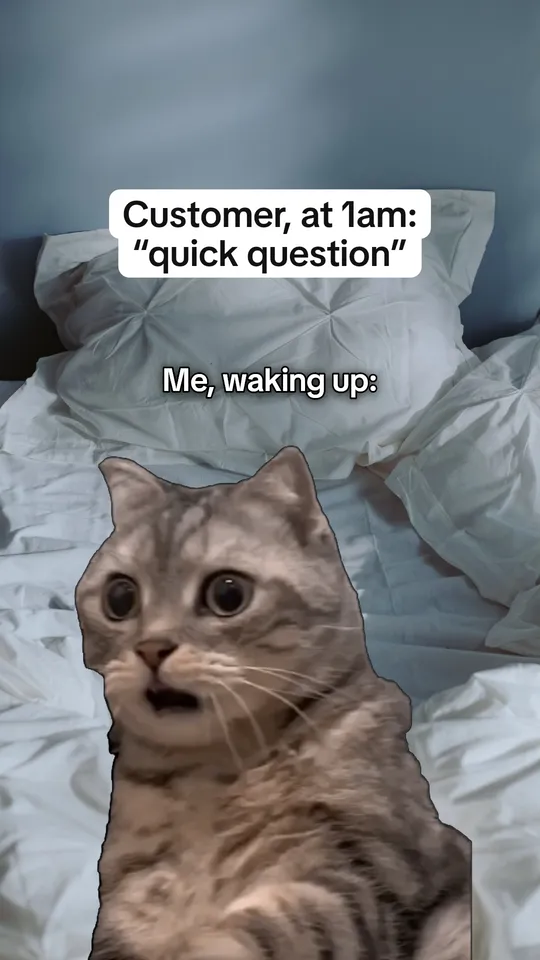
"Customer at 1am: 'quick question'"
10. The customer meme. Instagram is a good home for memes.
"me explaining my job to my parents"
11. The family gap. Works for any job people don't get.
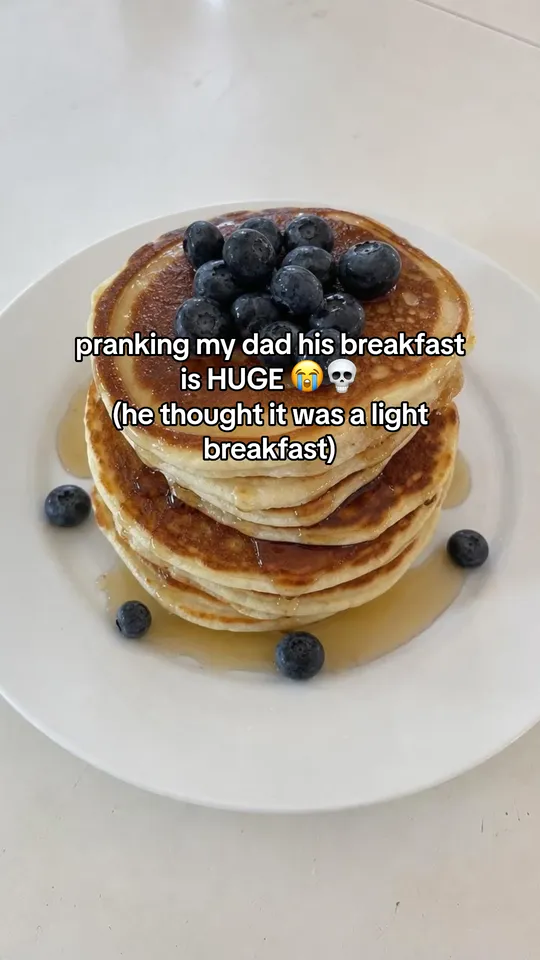
"pranking my dad: [harmless setup]"
12. The prank. A photo, the setup, his real replies.
"types of people who [use your product]"
13. The types. Light and kind.
Build trust
"why i started this [business / app]"
14. The why. One true story, text over your workspace.
"our first [order / user] vs our 1,000th"
15. The then and now. Real photos.
"a customer sent us this"
16. The real message. With their yes.
"what we changed because you asked"
17. The update. Show the change working.
"a day running a [business] with no team"
18. The day in the life. Hands and places, no face needed.
Length, sound and text
- Length: demos and memes work at 8 to 15 seconds. Stories and how-tos can run to a minute if every second moves the story on.
- Sound: never post a silent Reel. Instagram shows fewer muted Reels. Business accounts should pick from the music Instagram offers for business use.
- Text: one clear line in the middle of the screen in the first second. Keep it away from the bottom, where the caption and buttons sit.
- Cover: pick a cover frame with the line readable, since it shows on your profile grid.
Test hooks with Trial Reels
Trial Reels show a Reel to people who don't follow you first, so a test doesn't fill your followers' feeds. Use them to compare two first lines on the same video.
Step 1: Make one video, two openings
Same video, two different lines in the first 3 seconds. Our hook idea picker gives you lines to try.
Step 2: Post both as Trial Reels
Turn on the trial option when you share. Post them a day apart.
Step 3: Compare skip rate and sends
After a few days, keep the one fewer people skipped and more people sent to a friend.
Step 4: Share the winner with followers
Instagram lets you share a trial with your followers later.
When a carousel beats a Reel
For smaller accounts, carousels often win. Socialinsider's study of 35 million posts found carousels got more views per post than Reels for accounts with 1,000 to 5,000 followers (993 against 580). Buffer found engagement per person reached of 6.9% for carousels and 3.3% for Reels. Lists, how-tos and checklists usually work better as carousels. Demos, pranks and memes work better as Reels.
Use 5 hashtags at most: Instagram limits captions to five since December 2025. Mosseri has said hashtags help people find you but don't add reach.
Questions people ask
What are good Instagram Reels ideas for a business?
Product demos, before and afters, how your product gets made, quick tips from your field, customer memes and the story of why you started.
How do I create a Reel for my business?
Film 8 to 15 seconds on your phone, put one clear line on screen in the first second, add a sound, write a short caption with up to 5 hashtags, and share it. Use Trial Reels to test openings.
What Reel styles are popular right now?
Hands-only demos, POV lines over everyday moments, memes about work, and before and afters. Reels that are mostly text or reposted do worse.
Should I post the same video on TikTok and Instagram?
You can post the same idea, but upload a clean file to each, with no TikTok watermark. Instagram shows fewer watermarked Reels.
Keep reading
Sources
- Instagram: rewarding original creators (Apr 2026) (opens in a new tab)
- Instagram: ranking explained (opens in a new tab)
- Instagram: Trial Reels (Dec 2024) (opens in a new tab)
- Social Media Today: Reels skip rate (Aug 2025) (opens in a new tab)
- Social Media Today: Mosseri on Instagram's signals (Jan 2025) (opens in a new tab)
- Socialinsider: Instagram benchmarks (Feb 2026) (opens in a new tab)
- Buffer: the best content format on social media (Mar 2026) (opens in a new tab)
- Social Media Today: Instagram limits hashtags to five (Dec 2025) (opens in a new tab)
- Virlo: viral hooks for marketing and B2B (read Oct 2026) (opens in a new tab)