TikTok slideshow ideas for businesses and apps: 25 lists people save
Updated · 6 min read
TikTok slideshows (TikTok calls them photo posts) are the easiest posts to make every day. No filming, no editing, just 5 to 10 pictures with a few words on each. The best ones are lists, because people save lists to use later.
Below are 25 ideas, each with a cover line you can copy. Swap the words in brackets for your own.
Why lists work so well
A list makes a promise on the cover ("5 things") and pays it off one swipe at a time. People swipe to the end, then save it. On Instagram, Metricool found carousels get 9 times the saves of single photos. On TikTok the studies disagree on whether photo posts beat videos, but on the small accounts we've watched, plain list slideshows did much better than text over a random video clip.
We studied trending list posts in September 2026. The best ones had three things in common. Every slide after the cover showed a real photo of that slide's item. Each slide had 2 to 15 words. And the product sat in the middle or at the end, never on the cover.

List ideas (1-8)
"5 [things] i wish i knew before [starting X]"
1. Wish-I-knew. One of the most copied covers on TikTok. Each slide is one lesson.
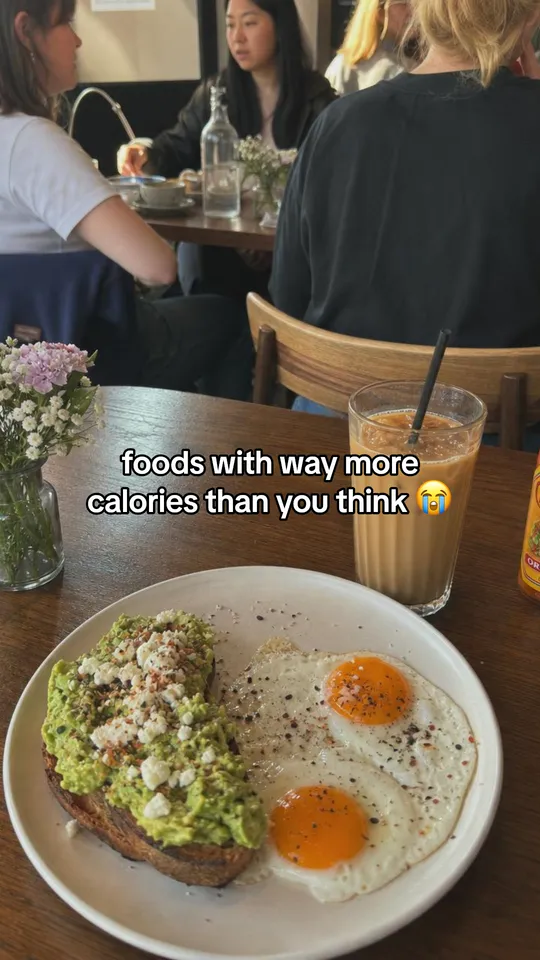
"[foods / habits / tools] that are way better than you think"
2. The surprise list. Each item comes with one line on why.
"10 [habits] but they get more and more niche"
3. The escalating list. Starts normal, gets oddly specific. A post with this cover passed a million views.
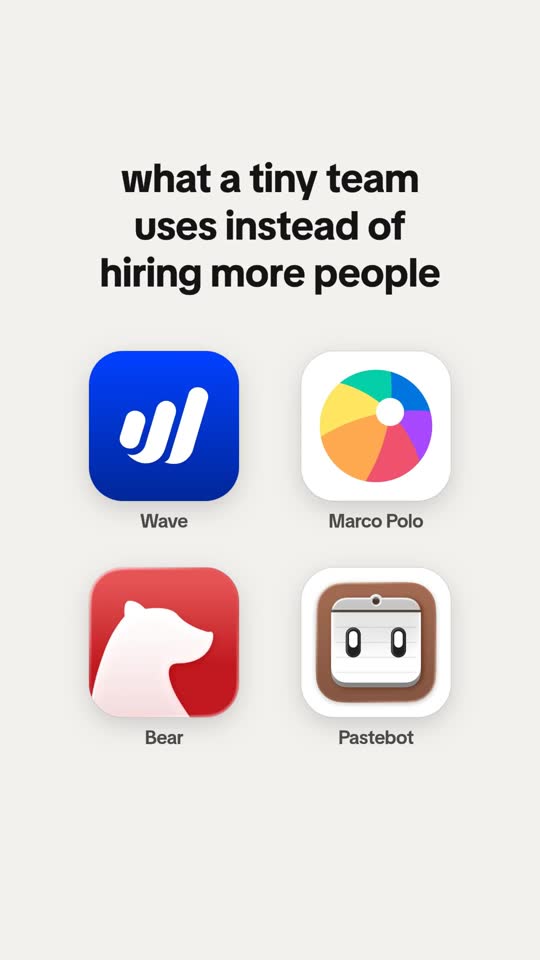
"my [morning / work / gym] stack: 5 things i use every day"
4. The stack. Real photos of real things you use, your product among them.
"things every [dog owner / freelancer / new mom] needs"
5. The starter kit. Name the group in the first words so they stop.
"underrated [websites / apps / spots in Austin] you should know (part 1)"
6. The series. Number it. A cover like "powerful websites you should know (part 761)" passed a million views.
"[5] mistakes that make your [plants / budget / ads] fail"
7. The mistakes list. People check if they're making them.
"every way to [reach a goal], ranked from worst to best"
8. The ranking. Your product is the best one, last, with an honest reason.


Story ideas (9-15)
"what actually changed when i [let myself miss a day]"
9. The honest change. One small story told over 5 or 6 slides.
"started from zero. no [team], no [money], no [plan]. just [one thing]."
10. The from-zero story. Two or three slides can be enough.
"a day in my life running a [bakery / app / dog grooming van]"
11. The day in the life. One photo per hour, one line each.
"what [$50] gets you at our shop"
12. The price reveal. Great for food, beauty and local shops.
"how we [make / pack / fix] one [order]"
13. Behind the scenes. Step photos people never get to see.
"our first [year / 100 orders] in 6 slides"
14. The milestone. Real photos, real moments, no bragging numbers needed.
"the customer message that made our week"
15. The kind words. Only real messages, with the customer's yes.
Helpful ideas (16-21)
"how to [do the thing] in 5 steps"
16. The how-to. One step per slide, with a photo of that step.
"[this] vs [that]: which one should you pick?"
17. The choice. Two options your customers argue about (not you vs a rival).
"what [a pro] looks for that you don't"
18. The inside view. Your know-how, in plain words.
"save this for your next [trip / launch / grocery run]"
19. The checklist. Made to be saved.
"signs you need a new [mattress / bookkeeper / app]"
20. The signs list. The last sign leads to you.
"myths about [your field] that need to stop"
21. The myth buster. One myth and one truth per slide.
Fun ideas (22-25)
"rating every [coffee order / tool] we tried this month"
22. The ratings. A score on every slide.
"types of customers at our [shop]"
23. The types. Light and kind, never mean about real people.
"guess the price before you swipe"
24. The guess. The answer is on the next slide.
"pranking my dad: i [made something for his business]"
25. The prank. A harmless setup, then his real replies.
Turn an idea into a slideshow in 5 steps
Step 1: Pick one idea and write the cover
Copy a cover line from above and swap in your own words. Keep it to 5 to 13 words.
Step 2: List 4 to 8 items
One item per slide. Put your strongest item second, so people who swipe once keep going.
Step 3: Find a real photo for each item
Your own phone photos of the real thing beat stock pictures.
Step 4: Add the words and a sound
A few words per slide, then pick a sound when you post.
Step 5: Write a friendly caption
One line and 3 to 5 hashtags. See the full how-to in our slideshow guide.
Make your slideshow easy to read
- Keep the cover short. 5 to 13 words that promise one clear thing.
- Use a real photo on every slide. A photo of the thing that slide talks about. Plain colored slides with tips get skipped.
- White text boxes or a thin outline. The text style people already know from TikTok reads fastest.
- Add a sound. You pick it when you post. Business accounts use the Commercial Music Library.
- Write a caption that sounds like a friend. "save this for later" or a real question, not a summary of the slides.
Questions people ask
What are good ideas for a TikTok slideshow?
Lists work best: things you wish you knew, a ranking from worst to best, a daily stack, mistakes to avoid. Give each slide one item with a real photo of it.
How many slides should a TikTok slideshow have?
Most list slideshows that do well have 5 to 10 slides. TikTok allows up to 35 photos, but fewer slides means more people reach the end.
What are creative TikTok slideshow ideas for small businesses?
Behind the scenes of one order, what a set price gets you, a day in your life, types of customers, and a "guess the price" post. Use your own photos.
Do TikTok photo posts get more views than videos?
Studies disagree. Fanpage Karma found more engagement on carousels, while Buffer and Metricool found videos got more views. Try both on your own account and compare after five posts each.